MacBook Neo: A New Beginning for the MacBook Story
Neo. New, revived, reimagined.
And that’s exactly what Apple appears to be doing here: bringing back the idea of a truly budget MacBook—but with a modern twist.
For years, the MacBook Air acted as the entry point to the Mac lineup, even as it evolved into a much more capable (and pricier) machine. The MacBook Neo steps in to reset the starting line: a simpler, more attainable MacBook that doesn’t feel like a compromise—just a different intention for a different audience.
If you’ve ever felt left behind as the MacBook Air was quietly promoted into a “mid-range” product, Neo is Apple’s answer.
Why Neo? Why now?
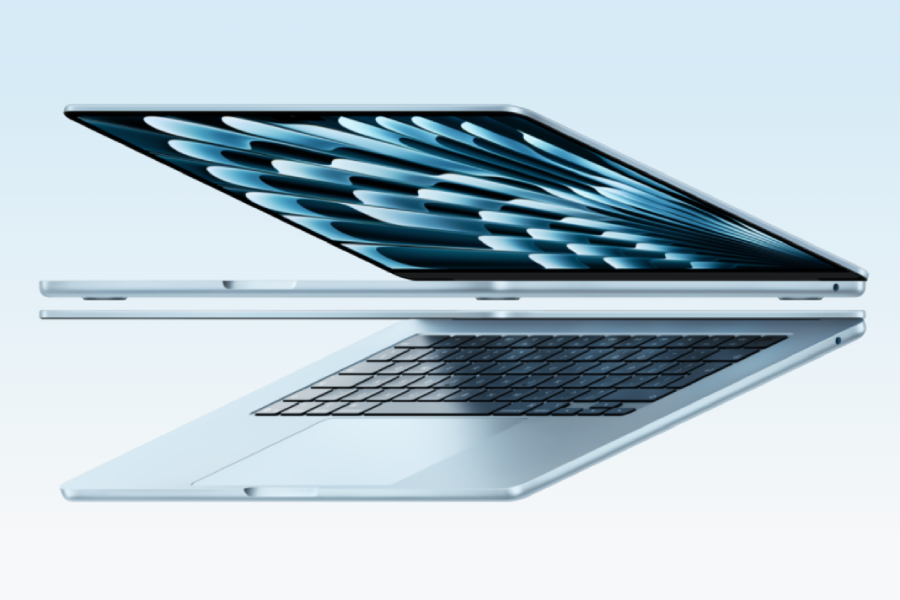
When the first MacBook Air landed, its biggest selling point was what it wasn’t: it wasn’t heavy, it wasn’t clunky—and for all its future potential, it wasn’t a powerhouse. That trade-off made sense at the time.
But the Air has since grown up. Today, it handles enough to be used by professionals and creatives across a variety of high-end tasks, and it does it while staying featherlight and efficient. As the Air advanced, so did its price and positioning, even as Apple tried its best to balance cost with capabilities.
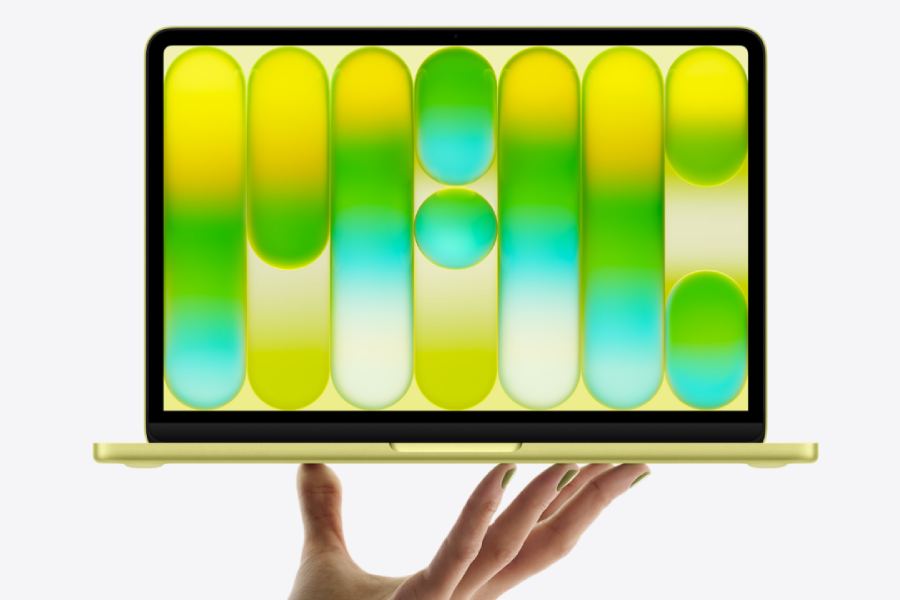
Enter the MacBook Neo—a modest, purpose-built machine that restores a clear, logical ladder in Apple’s lineup: Neo, the approachable entry for essentials; Air, the mainstream sweet spot—portable, powerful, polished; and Pro, the performance and pro‑workflow tier.
This move from Apple finally harmonises the naming across the ecosystem, where the term “Air” typically signifies the mid-range (as seen in the iPhone Air and iPad Air). Neo aligns the MacBook story with that reality. It’s not just a new product; it’s a lineup correction.
An iPhone chip in a MacBook
The Neo is the first MacBook ever to run an iPhone chip—the A18 Pro. That will raise eyebrows, but it also makes a lot of sense. Apple’s A‑series silicon has been blisteringly fast for years, often bottlenecked not by compute but by thermal challenges.
The real consideration isn’t whether an iPhone chip is capable of powering a Mac, but rather what everyday Mac users actually need from their device. For the Neo’s intended audience—people focused on web browsing, coursework, productivity apps, streaming, and basic communication—the performance on offer is more than sufficient.
Thanks to Apple’s close integration between hardware and software, the Neo still delivers the smooth experience and expected battery life that define the MacBook lineup.

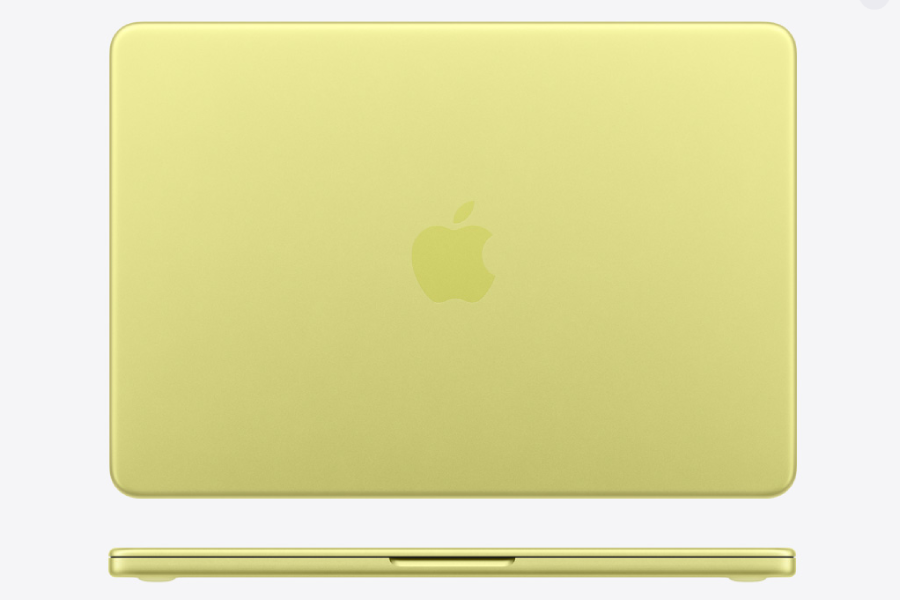
Design: compact, durable, purposeful
Neo’s silhouette might surprise you. It weighs the same as the Air, but is squeezed into a smaller width and length, trading a slight increase in thickness for a feel that’s actually more portable in a bag.
The all-metal frame makes the laptop feel solid and durable, so it can handle everyday use without feeling flimsy. Its thicker screen borders and slightly smaller display show Apple’s focus on affordability and practicality rather than pushing high-end visuals.
The keyboard and trackpad
There are deliberate choices made here:
- no backlit keys
- colour design
- mechanical trackpad
- no Touch ID on the 256GB model
These are going to be a deal‑breaker for some, and an irrelevance for others, so let’s discuss what this means in a real-world context.
If you type in dim rooms or work late into the evening, you’ll notice the lack of backlighting on the keyboard. If your use is mostly at a setup desk or in the daytime, it may not be as noticeable or important to you. It’s one of several choices that keep cost and complexity down without hurting the target use cases.
The Neo features a design change that isn’t necessary, but is appreciated. The model comes in four colours, each paired with soft-tinted white keycaps that reduce the colour contrast between the vibrant hues of the main body and the keyboard. This unexpectedly stylish detail hints at a more premium feel, even with the budget price point.
The MacBook Neo features a mechanical trackpad, a deliberate shift from the traditional haptic trackpads found on the Air and Pro models. While it doesn’t include the force‑touch sensors used for pressure-based gestures, the mechanical design remains accurate, responsive, and durable for everyday use, delivering precision without the additional cost of haptics.
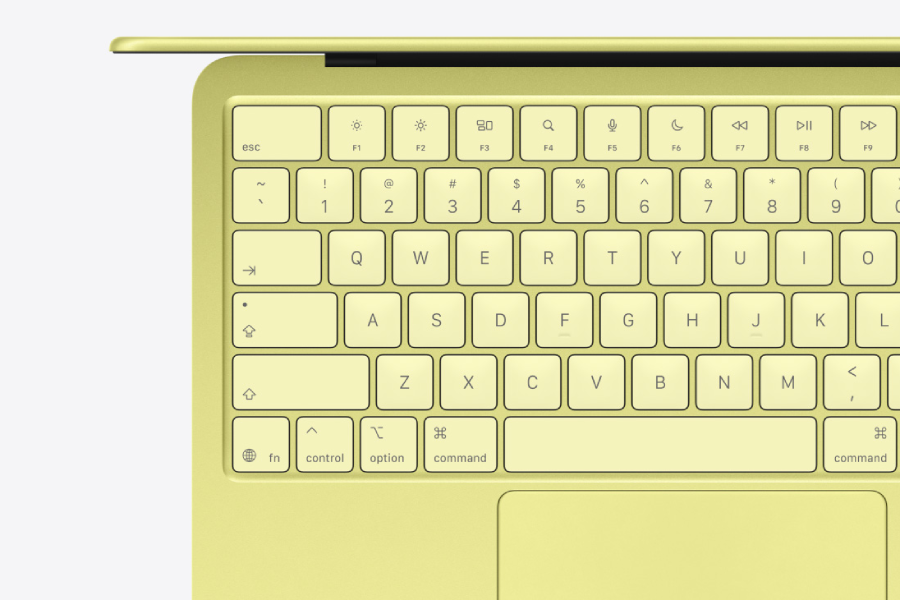
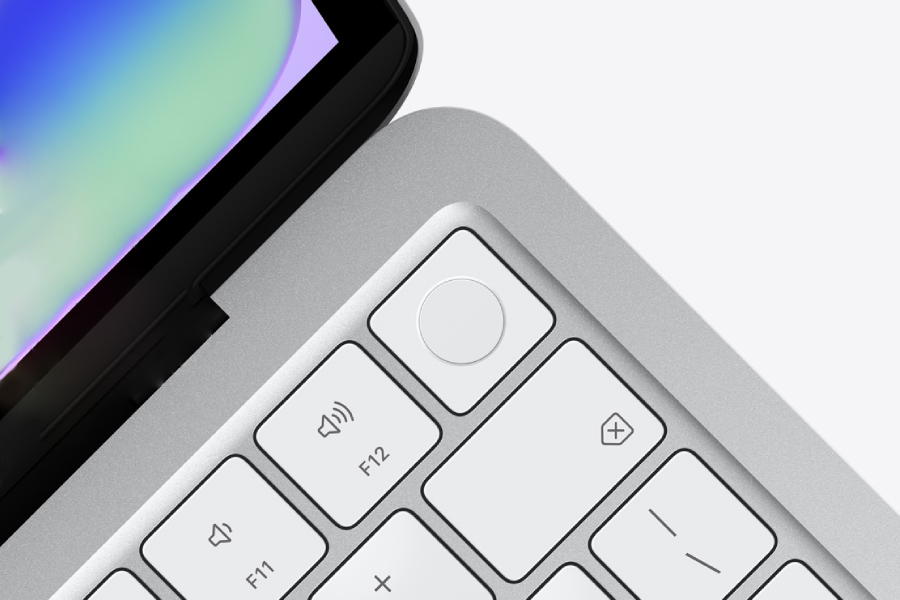
The Neo’s keyboard setup also varies subtly between the two storage tiers, creating a clear distinction in both price and everyday convenience. The base 256GB model includes the standard Magic Keyboard without Touch ID, meaning users must rely on a traditional password for authentication, or Apple Watch unlock if they use one. This setup lacks the quick, biometric login many Apple users have grown accustomed to across Macs and iPads.
By contrast, the 512GB configuration upgrades the experience with the Magic Keyboard featuring Touch ID, allowing instant unlocking, smoother password autofill, and easier authorisation for purchases. While both keyboards are identical other than this one distinction, the presence of Touch ID in the higher-tier model adds a level of modern convenience that some users may find worth the additional cost, especially if they value a frictionless daily workflow.
Layout, and the little differences
The MacBook Neo keeps things intentionally simple when it comes to ports and layout. Everything included has a clear purpose, and everything left out helps keep the device compact and affordable.
Ports
The Neo includes two USB-C ports, but each one is designed for a different task:
- USB‑C (USB 3.0)
- Compatible with connecting an external display
- Useful for faster accessories and data transfer
- USB‑C (USB 2.0)
- Ideal for charging
- Suitable for basic peripherals like a mouse or simple storage devices
- Not compatible with connecting an external display
- No MagSafe
- Apple leaves out the magnetic charging port found on other MacBooks to simplify the hardware and reduce costs
Webcam
The Neo features a 1080p webcam, which works well for everyday calls and online classes where presenting isn’t necessary. But a key feature that some may be looking for, the green indicator light to denote that the webcam is live, hasn’t been removed – it’s just been moved.
Instead of the usual placement next to the camera, the activity indicator now appears in the menu bar at the top right of the screen. It’s a small change, but it reflects the Neo’s streamlined approach to hardware.

How the Neo changes the MacBook dynamic
Neo doesn’t just add a new bracket; it re-centres the lineup. And with this reshaping of the lineup, the MacBook Neo becomes the most attainable option in the family and the most natural upgrade for anyone coming from an iPad who has always preferred a laptop‑first experience.
MacBook Air
The introduction of the Neo allows the MacBook Air to move confidently into a higher tier, both in terms of its chip advancements—following the familiar rhythm of the M‑series upgrades—and its price, without the confusion of being positioned as both the “Air” model and the entry point.
MacBook Pro
At the same time, the MacBook Pro remains firmly in its own category, continuing to cater unapologetically to power users and professionals who rely on advanced performance for creative and technical workflows.
If the Air’s ascent left you behind, Neo meets you where you are—with only the essentials that you would expect from an entry point laptop.