A Guide to Apple Intelligence: AI Designed Around You
Apple Intelligence is Apple’s personal intelligence system, bringing generative models and personal context to features across compatible Apple devices. Originally unveiled alongside iOS 18, iPadOS 18, and macOS Sequoia, Apple Intelligence offered the potential to redefine how users interact with their Apple devices.
Apple Intelligence has come a long way since it was first unveiled, with iOS 27 enabling its most intuitive capabilities yet. Read on to discover the capabilities of Apple Intelligence, as well as the ways it can support your life.
Siri AI
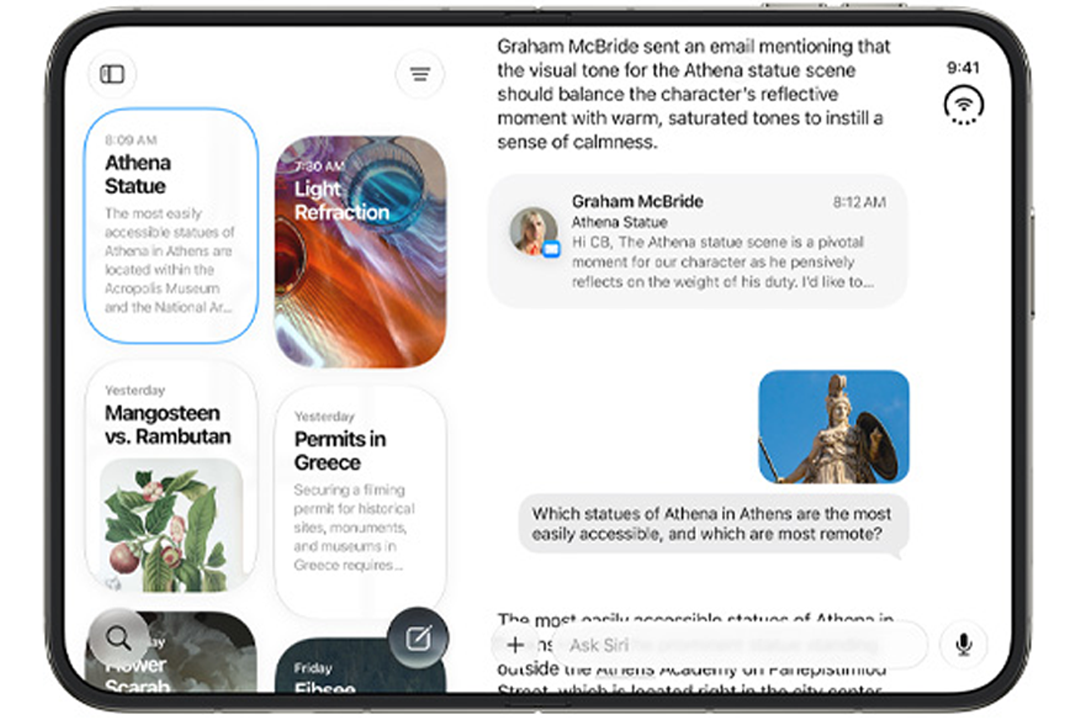
Siri AI evolves the beloved Siri voice assistant into a conversational AI assistant powered by Apple Intelligence. Siri AI combines real-world knowledge with personal context to offer you more natural conversations and individualised assistance across a range of everyday tasks. On iPhone, Siri AI can be activated by saying “Hey Siri”, pressing and holding the side button, or swiping down from the Dynamic Island. It can also be accessed through the dedicated Siri app. The Siri app brings your conversations together, allowing you to revisit previous exchanges and continue them across compatible Apple devices.
With its understanding of personal context, Siri AI offers convenient assistance, seamlessly integrating into your life to make daily tasks easier, even on the go. At your request, it can retrieve information like booking numbers buried in your inbox, find a photo from the depths of your photo library, or provide a refresher of the plans you made in a group chat.

Visual Intelligence
On compatible iPhones, Visual Intelligence can use the camera to help you learn more about the world around you. With Siri AI enabled, you can also access Siri mode directly in the Camera app. In the Camera app, you can point your iPhone at different subjects to learn more about them with Visual Intelligence, from identifying an insect or plant to discovering a meal’s nutritional value. If the ChatGPT extension is enabled, you can also ask ChatGPT for information about an object and submit follow-up questions. Visual Intelligence can also be used to find similar images online. For example, you could point your camera at a dress while out shopping to find some online alternatives.
Visual Intelligence also works with onscreen content. On iPad, you can take a screenshot and tap an item or circle it with Apple Pencil. On Mac, you can select onscreen content to ask Siri AI about it, while Apple Vision Pro lets you ask about app content and physical objects simply by looking at them.
Creativity
Apple Intelligence offers an abundance of creative capabilities, from enhancing your own photos to generating entirely new images.
In the Photos app, Apple Intelligence features let you adjust photos even after they’ve been taken. Spatial Reframing lets you touch and drag an image to adjust its perspective, while the Extend tool can expand its boundaries, such as when straightening a horizon without cropping out important details. The Clean Up tool can also remove unwanted distractions and fill the affected area more realistically, even in complex scenes.
To create something new, Image Playground can generate high-quality images in a range of styles, including photorealistic imagery, based on a written description. You can refine an image by describing the changes you want or by tapping, circling, or brushing an object to move or resize it. The resulting images can be used in Messages or generated for Lock Screen wallpapers and Contact Posters. There's also a choice of aspect ratios for projects such as images for websites and flyers. Please note that availability and usage limits may vary, particularly for features that use server-based models.
Genmoji offers another way to add a personal touch. You can describe the emoji you want to create, then further refine the result by explaining the changes you would like to see. This makes it easier to produce an original emoji that suits a particular idea, reaction or conversation.

Convenience
Organisation
With Apple Intelligence, it’s easier to stay organised and complete everyday tasks with less manual input. When browsing in Safari, tabs can be automatically grouped by topic. For example, when planning a weekend away, Safari can bring your travel-related tabs together and continue adding suitable pages to that topic as you browse.
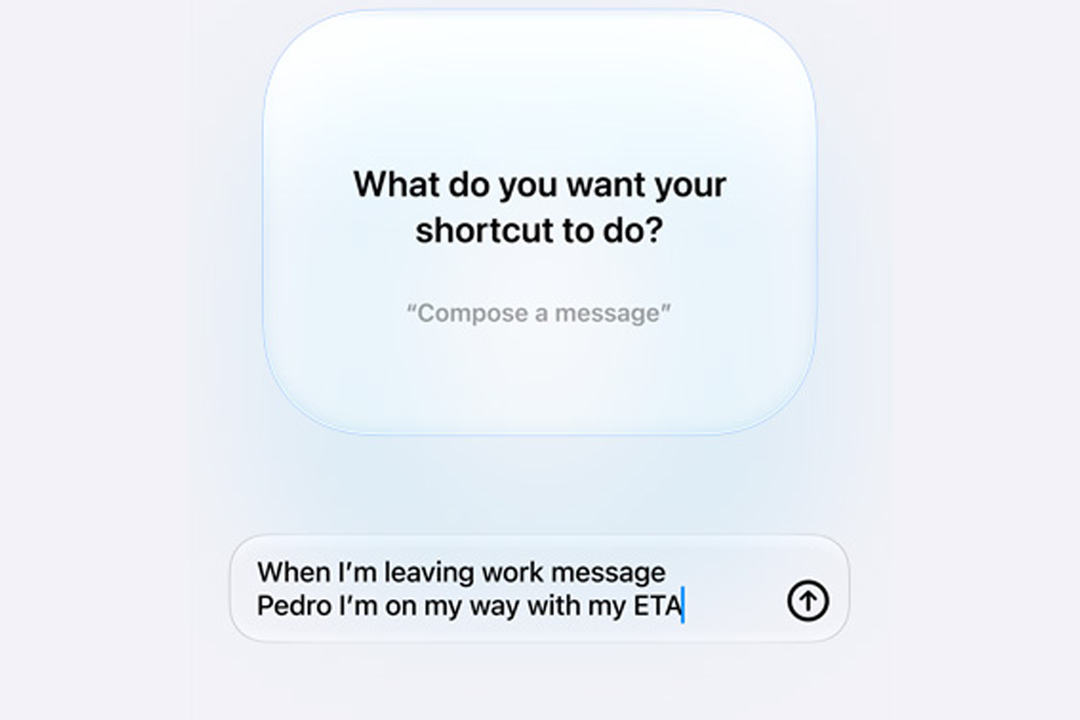
With Describe a Shortcut, you just need to explain what you want a shortcut to do, and the Shortcuts app can assemble the required steps for you. You can then describe any changes needed. For example, you could create a shortcut that sets your morning alarm each evening based on the first event in your Calendar the next morning.
Organising your schedule can be just as straightforward. In Calendar, you can add or modify an event by describing it, with Apple Intelligence adding relevant contacts and locations as you type and creating a suitable event title. This reduces the need to enter each detail individually, helping you turn plans into organised Calendar entries with less effort.
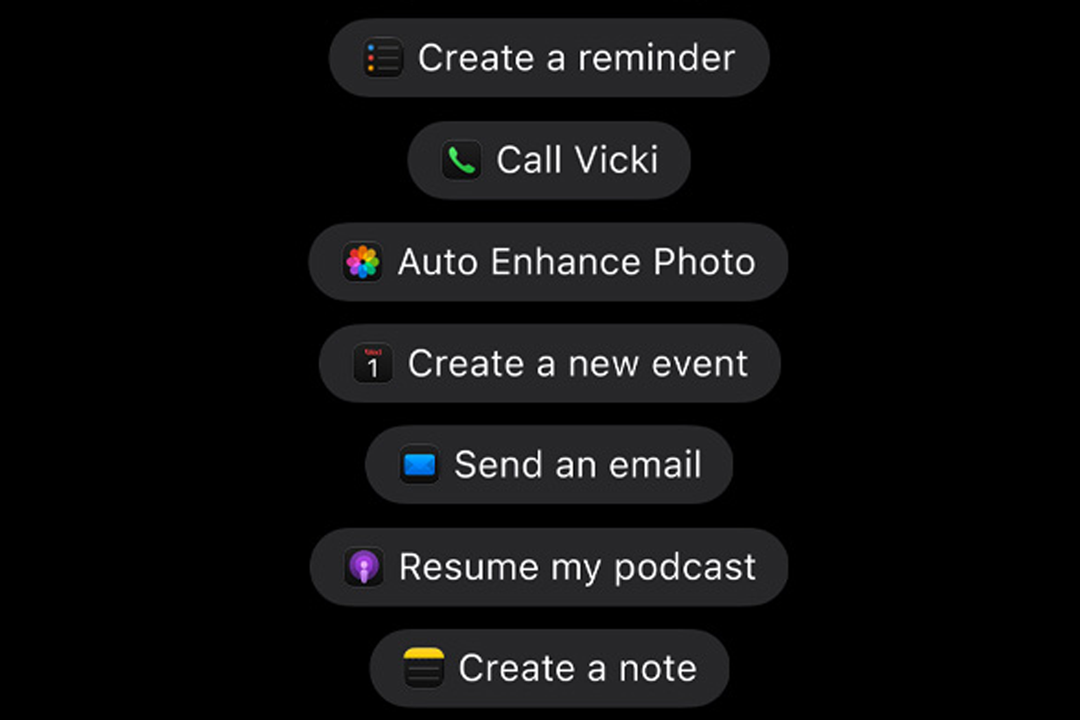
Contextual assistance across apps
Apple Intelligence can provide useful suggestions at just the right moments, thanks to its understanding of personal context. For example, if your friend texts the group chat asking you to send the photos from a party, Apple Intelligence can identify the requested images and let you send them with just a tap. Alternatively, if a friend reminds you about a plan, contextual suggestions can help create a Reminder or Calendar event without you having to transfer the details between apps.
Phone calls can also benefit from Apple Intelligence’s contextual assistance with Call Context . When you call a supported business, Call Context can surface relevant information, such as a reservation number, directly in the Phone app.

Smarter communication
Apple Intelligence makes communication easier across an array of formats. For example, Smart Reply can craft suggested replies to texts or emails in your personal writing style, ready to be selected with a simple tap. Meanwhile, Live Translation helps you communicate across supported languages in Messages, calls, and even FaceTime.
Live Translation functions are subject to device, language, and region; find out more here.
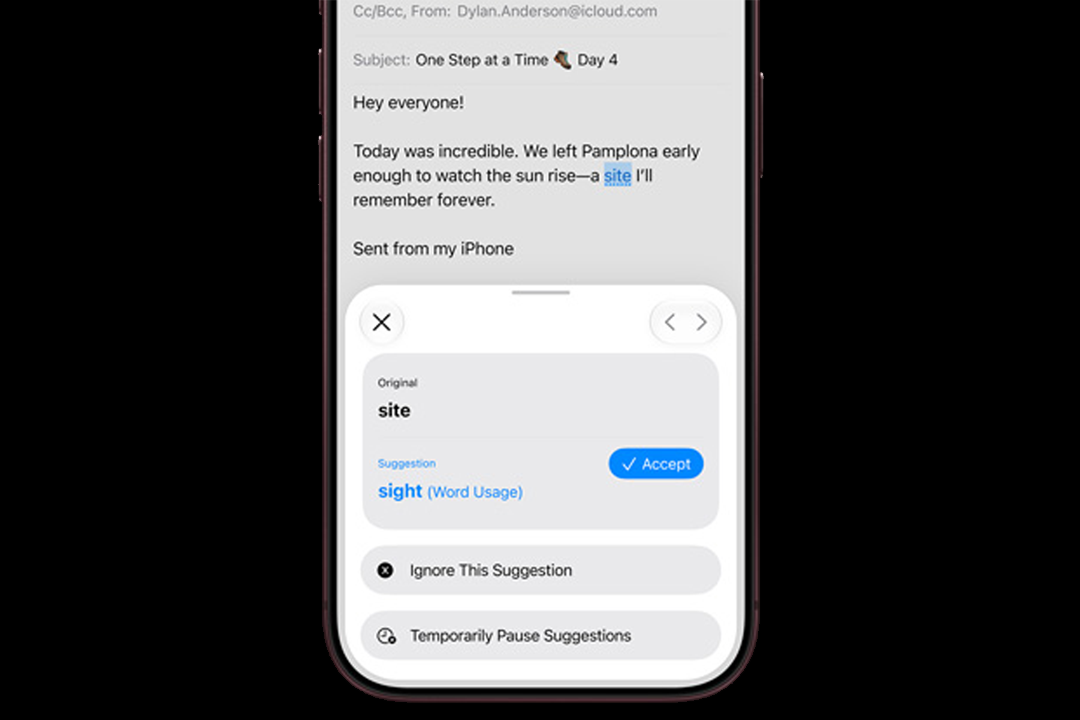
Writing assistance
Siri AI offers useful writing capabilities. It can proofread and provide feedback on writing, rewrite passages, or even compose drafts from scratch. It’s also capable of summarising documents or notes as easily digestible points.
Other Apple Intelligence Writing Tools are available independently of Siri AI. With Writing Tools, you can have your work proofread, select to have your writing rewritten in a specific tone or describe how you want a section to be revised. With ChatGPT integration, it’s also possible to compose original text from a description.
Privacy
Apple Intelligence is designed to provide personalised assistance without Apple collecting the content of your personal requests. In many cases, Apple Intelligence models run entirely on your device, allowing tasks to be completed without your data leaving the device. However, in some cases, Apple Intelligence may require more processing power and may use Private Cloud Compute.
Private Cloud Compute uses larger, server-based models and processes only the information needed to complete your request. Data processed by Private Cloud Compute is not stored or made accessible to Apple. It is used only to fulfil the request, after which the result is returned securely to the device.
Together, on-device processing and Private Cloud Compute allow Apple Intelligence to draw on personal context and handle demanding tasks while protecting your information.

Final thoughts
Apple Intelligence infuses intuitive AI capabilities into everyday tasks across the Apple ecosystem. Whether you’re searching for information, bringing a creative idea to life, or communicating with others, it offers practical assistance that adapts to your needs and personal context. These capabilities make interactions across your Apple devices feel more natural, efficient, and personalised. As Apple Intelligence continues to evolve, its role across Apple’s devices and apps is likely to expand.