iPad mini: Big Features in a Compact Package
Compact tablets occupy a unique space in the technology market, offering a balance between smartphone portability and the larger workspace of a full-sized tablet. The iPad mini capitalises on that formula with a refined design, an advanced display, and integration with Apple's artificial intelligence features.
While its small footprint remains one of its biggest strengths, the iPad mini introduces meaningful features that extend beyond portability. With its OLED display and redesigned audio system, it appeals to students, professionals, creatives, and everyday users alike.
Design
The iPad mini remains focused on portability, but Apple has refined the design in several noteworthy ways. The device is both thinner and lighter than the previous generation, making it even easier to carry throughout the day, whether you're commuting, travelling, studying, or working remotely.
Its 8.5-inch display strikes a balance between screen space and one-handed usability, giving users more room to work and create without compromising portability. Thinner bezels around the display further maximise the available screen area while maintaining a compact overall footprint.

One of the most visible design changes is the removal of traditional speaker grilles. Instead, Apple has introduced an Acoustic Display system that integrates speakers beneath the display and enclosure. The result is a cleaner exterior while still delivering immersive audio without visible speaker openings.
Durability has also received attention. The iPad mini carries an IP67 rating for water and dust resistance, providing protection against everyday spills, splashes, and exposure to dust. While it is not designed for underwater use, the added resilience offers extra peace of mind when using the tablet on the move.
Display
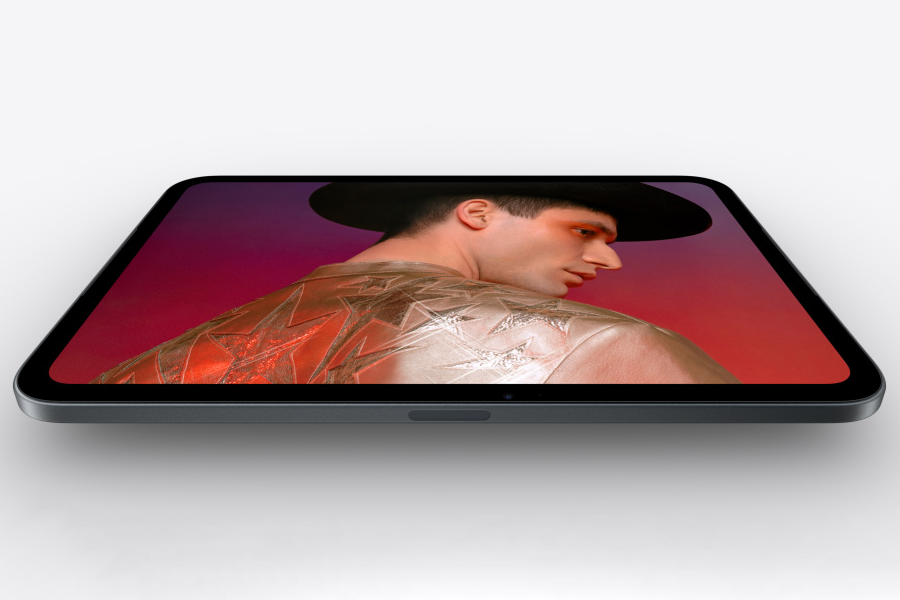
With a Super Retina XDR OLED panel, blacks are deeper, contrast is stronger, and colour more vibrant than previous display technologies seen in the iPad mini range. The OLED screen can reach high brightness levels, helping content remain easy to view in a variety of lighting conditions.
Support for the P3 wide colour gamut allows images and videos to appear rich and realistic, while True Tone technology automatically adjusts the display's white balance based on ambient lighting. This creates a more natural viewing experience and can help reduce eye strain during extended use.Apple has also applied an anti-reflective coating to minimise distracting reflections. Users can choose between standard display glass or an optional nano-texture finish on selected storage configurations. Unlike traditional glossy displays, nano-texture glass diffuses ambient light to reduce glare while preserving contrast and colour quality.
An interesting design detail is that the nano-texture treatment stops before reaching the bezels. This allows the display area to benefit from reduced reflections while the surrounding glossy edge maintains a smoother feel when holding or navigating the device.
Performance
Powering the iPad mini is Apple's A20 Pro processor, an advanced chip also offered in the iPhone 18 Pro range. Built to handle demanding tasks while maintaining power efficiency, the processor delivers noticeable improvements across productivity, creativity, multitasking, and AI-powered features.
For everyday users, this translates into smoother app performance, faster photo and video editing, more responsive gaming, and quicker switching between multiple applications. The enhanced graphics and machine learning capabilities also support increasingly sophisticated AI experiences throughout iPadOS.
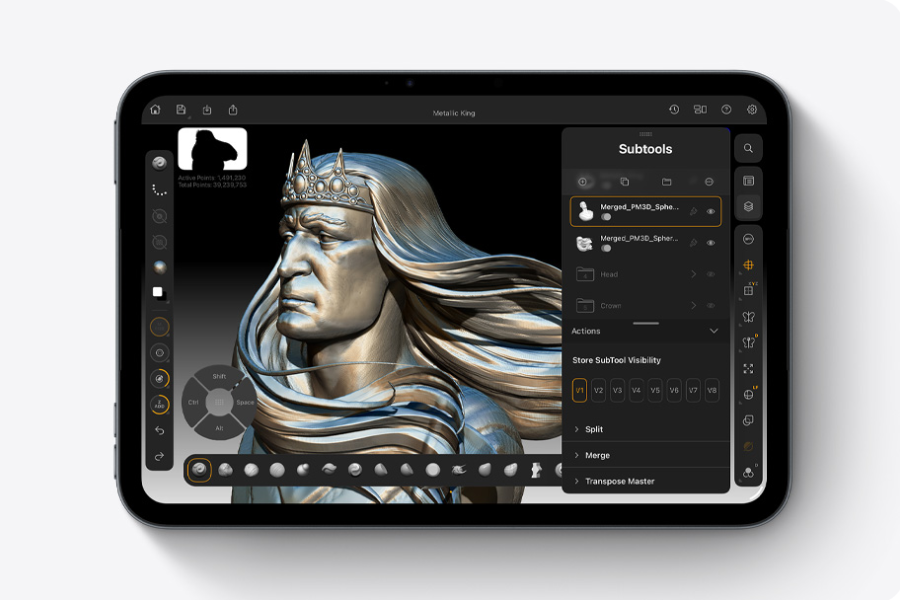
There is an important distinction between storage configurations. The 128GB and 256GB models feature a version of the A20 Pro with a 16-core Neural Engine. The top-tier 512GB model includes a more capable version featuring a Dual 16-core Neural Engine, providing full processing power for AI workloads and software features.
Productivity and multitasking
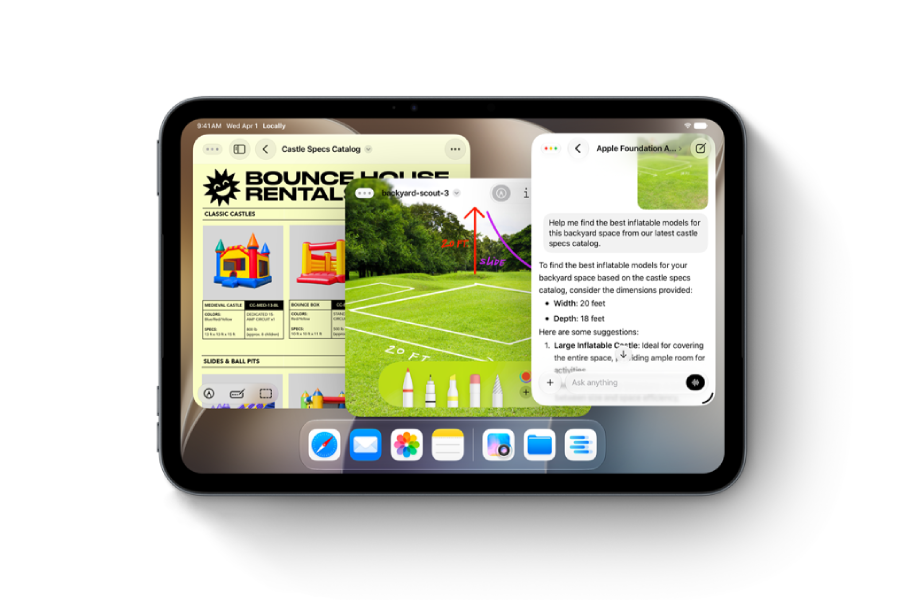
iPadOS continues to enhance the iPad mini's productivity credentials. Rather than limiting users to a single full-screen app, the operating system supports flexible window management that more closely resembles a desktop workflow.
Users can resize, reposition, and organise multiple application windows simultaneously, making it easier to research, write, communicate, and manage projects without constantly switching between apps. For example, a student could take notes while viewing lecture materials, or a professional could reference documents while participating in a video meeting.
The experience expands further when connected to an external display, providing additional screen space for multitasking. Combined with the vast ecosystem of iPad apps, the iPad mini can adapt to a wide range of workflows, from note-taking and planning to image editing and content creation.
Apple Pencil support
For creative users and handwritten note-takers, the iPad mini supports both Apple Pencil Pro and Apple Pencil (USB-C), offering flexibility depending on budget and feature requirements.
The Apple Pencil transforms the compact tablet into a versatile sketchbook, notebook, document editor, and annotation tool. Handwritten notes can be converted into typed text using Scribble, while screenshots, forms, PDFs, and other documents can be marked up directly on screen.
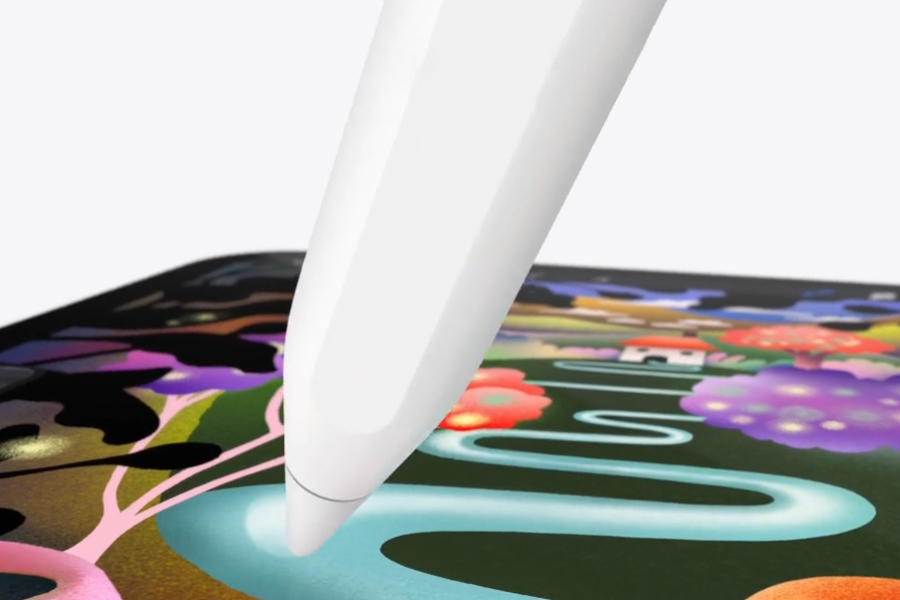
One of the more interesting additions is Image Wand, an AI-assisted feature within Notes. Users can create a rough drawing or sketch, and the system can transform it into a more polished image in a chosen visual style. This lowers the barrier to visual creation and can help quickly bring ideas to life.
The combination of a portable form factor, responsive display, and Apple Pencil support makes the iPad mini particularly well suited to students, designers, illustrators, and anyone who regularly captures ideas on the go.
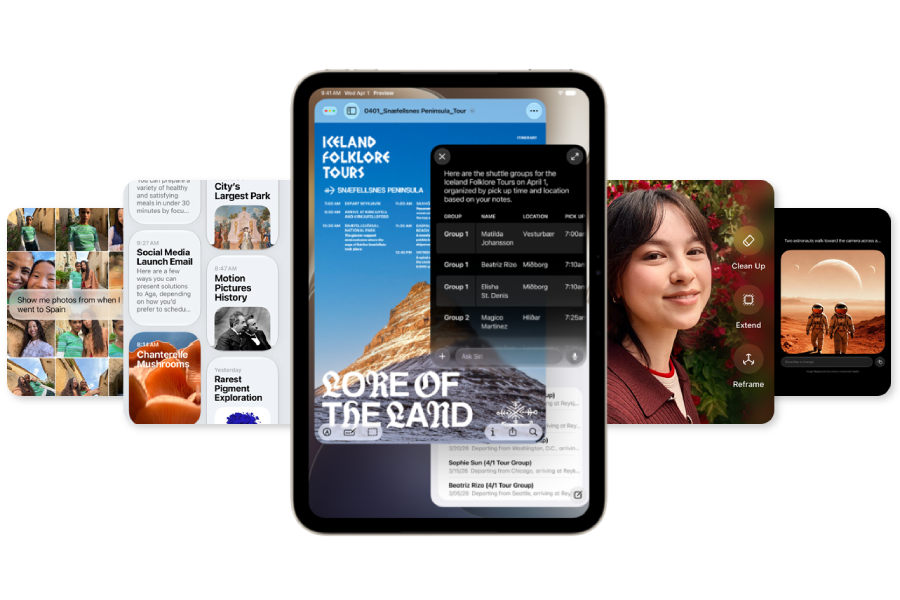
Artificial intelligence
Artificial intelligence plays a large role in the iPad mini experience. Powered by Apple Intelligence, Siri AI moves beyond basic voice commands and evolves into a more capable digital assistant.
Siri can handle more conversational interactions, understand context across requests, and assist with brainstorming, research, planning, and everyday productivity. The assistant is designed to work across apps while maintaining Apple's emphasis on privacy through on-device processing and Private Cloud Compute.
Visual Intelligence introduces another layer of functionality. Users can capture a screenshot and ask Siri questions about content displayed on screen. By tapping an item or circling it with Apple Pencil, users can quickly access additional information, perform searches, or learn more about specific objects and topics.
Apple has also introduced a dedicated Siri app that brings conversations together across Apple devices, allowing users to continue discussions between compatible products and more easily revisit previous interactions.
Camera system and tools
Although tablets are not always purchased for photography, the iPad mini includes a capable camera system that supports both content creation and communication.
The front-facing 12MP Centre Stage camera is positioned on the landscape edge of the device, a placement that feels more natural during video calls. Centre Stage automatically keeps users framed during conversations, helping create a more engaging experience during meetings, classes, and calls with family and friends.

On the rear, a 12MP Wide camera captures detailed photos and supports 4K video recording. The Adaptive True Tone flash not only improves low-light photography but also enhances document scanning by reducing shadows and improving readability.
Apple has also expanded its AI-powered photo editing capabilities. Users can recompose images using Spatial Reframing, extend image backgrounds with the Extend tool, and remove unwanted objects with an enhanced Clean Up feature. Together, these tools make it easier to refine photos without requiring advanced editing skills or third-party software.
The iPad mini demonstrates that compact devices don't have to come with significant compromises. Its thinner and lighter design, OLED display, enhanced multitasking features, and suite of AI tools combine to create a capable all-round tablet.
The mini's greatest strength remains its balance of portability and power: small enough to take anywhere yet powerful enough to handle work, creativity, entertainment, and communication.
Images courtesy of apple.com