Nintendo Switch 2: Product Deep Dive
Nintendo released the Switch 2 worldwide in June 2025. This is their next-gen hybrid console and the successor to the original Switch. Although the Nintendo Switch 2 looks and operates much like the original Switch, the console’s developers highlight that it has been reworked from the ground up. We’ve broken down five key areas where the Switch 2 differs from its predecessor.
The hardware
A bigger screen
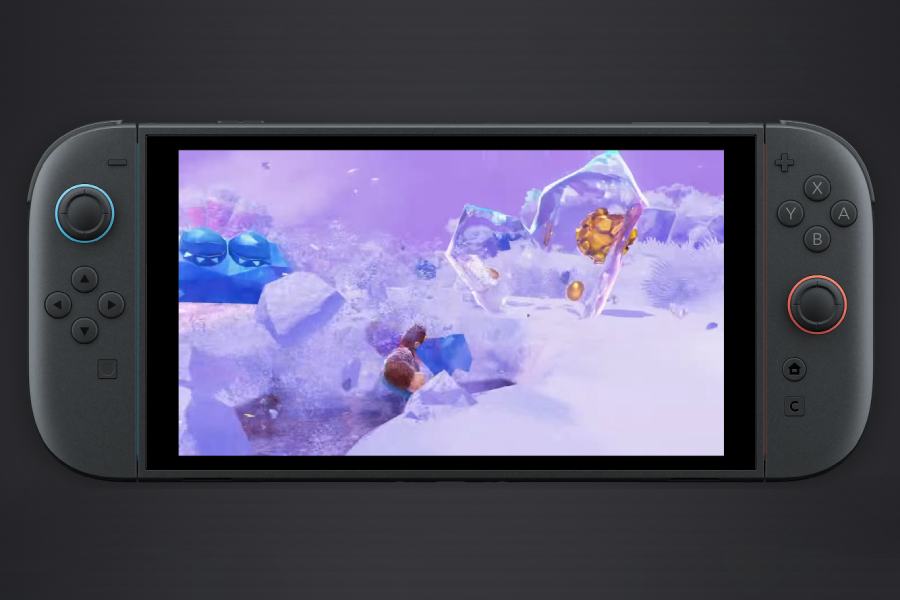
The Switch 2 is noticeably larger than the original Switch while retaining the same thickness, and its 7.9-inch screen gives handheld players more room to play. It's almost 2 inches bigger than the original Switch’s 6.2-inch screen and almost an inch larger than the Switch OLED’s 7-inch screen.
HDR (High Dynamic Range) support and 120fps (frames per second) are also new to the sequel console, but – and this may be a standout – the Switch 2 shares the same LCD technology as its 2017 ancestor, so no change there. If you primarily use the handheld and tabletop modes to play and aren’t fussed about frames per second, the Switch OLED may suit you better.
Storage wins and woes
One area where Nintendo haven't skimped is storage. The Switch 2 boasts 256GB of space, a massive increase from the original’s 32GB and the OLED’s 64GB. With eight times the storage capacity of the original Switch, players have far more room for downloaded games, while the faster internal storage contributes to improved load times. This will be welcome news to players who frequently manage downloaded games across multiple microSD cards due to limited storage, especially because standard microSD cards used with the original Switch cannot be used for Switch 2 game storage. The second-generation console requires microSD Express cards.
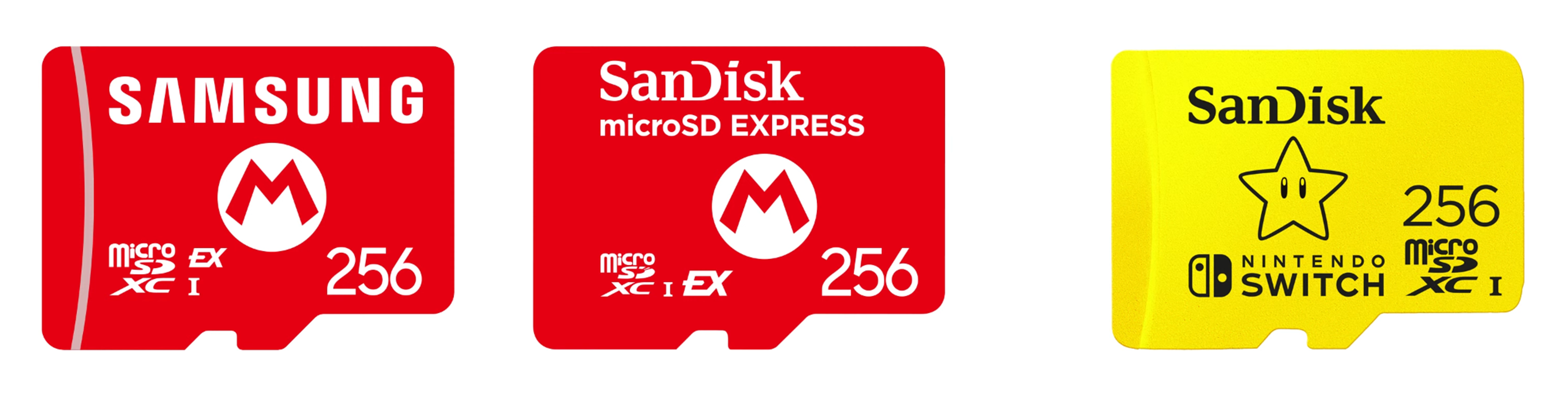 Image courtesy of Nintendo.com
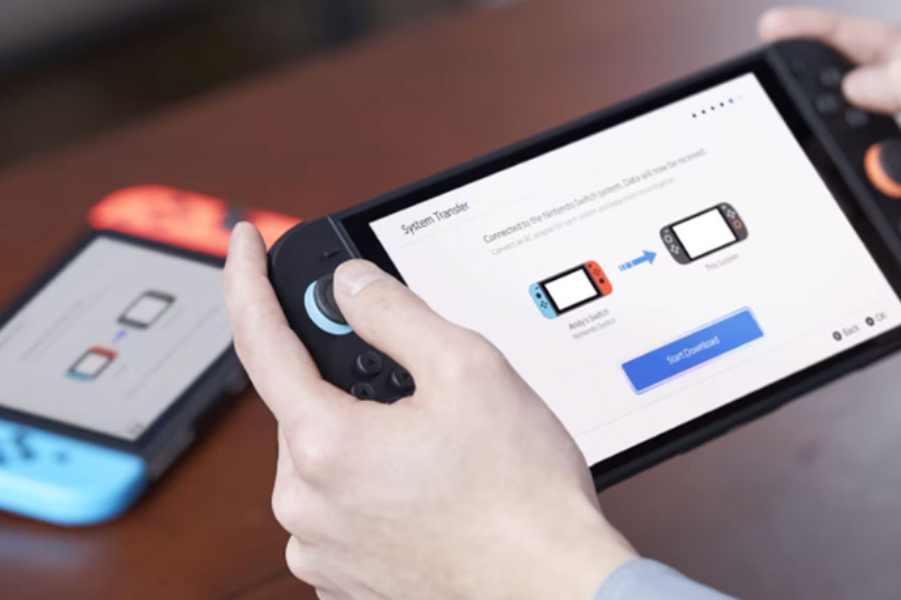
MicroSD Express is the future for Nintendo, so those of you looking to upgrade from an original Switch to the next-gen model may need to replace your existing microSD cards. Save data, profiles and settings can be moved to the new console using Nintendo's System Transfer feature, which requires an internet connection. The system packages and transports your profiles, Nintendo Accounts, save data and settings for you.
TV mode
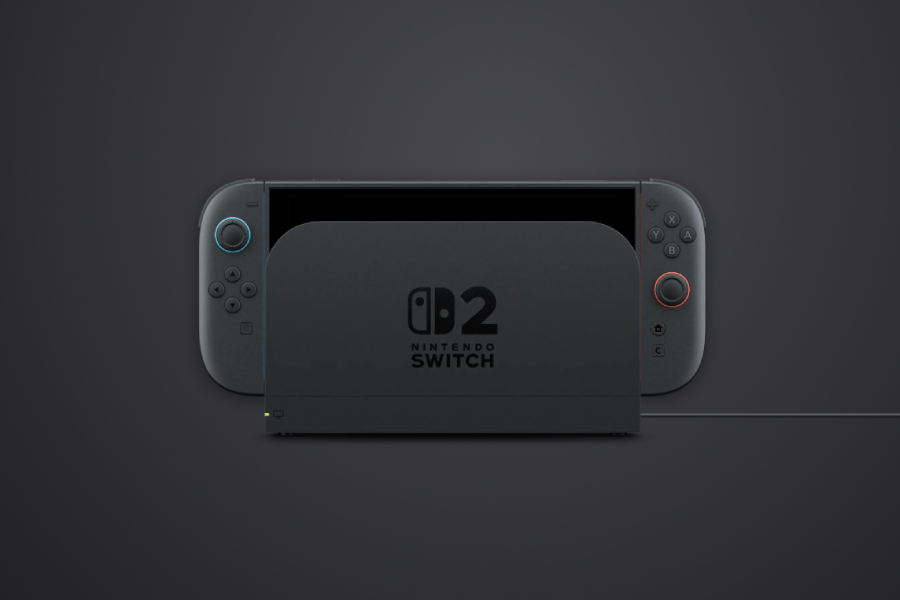
There’s nothing but good news for players who prefer a bigger screen. TV mode for the Switch 2 supports 4K and a wealth of other compatibility features. The dock has been redesigned for better TV playback, with a built-in fan designed to help maintain system cooling during extended gameplay sessions. CEC (Consumer Electronics Control) automatically switches your TV to the right source when you plug the Switch 2 in, which is very useful if you’ve got lots of things connected at the same time. ALLM (Automatic Low Latency Mode) puts compatible TVs into gaming mode, making it even easier to set up the Switch 2. VRR (Variable Refresh Rate) and HDR are also featured, making your gameplay look as good as possible; all that's needed to get the best out of these features is a compatible TV and specific game support.
The only hard choice you’ll have to make in TV mode depends on your thoughts on fps (frames per second). You can either play in 4K at 60fps or in FHD (Full High Definition) and lower at 120fps. While this won’t be a dealbreaker for many, it highlights that your overall experience largely depends on your TV's capabilities. If it isn’t compatible with 4K, CEC, or ALLM, you won’t get those benefits.
The controllers
Joy-Con 2
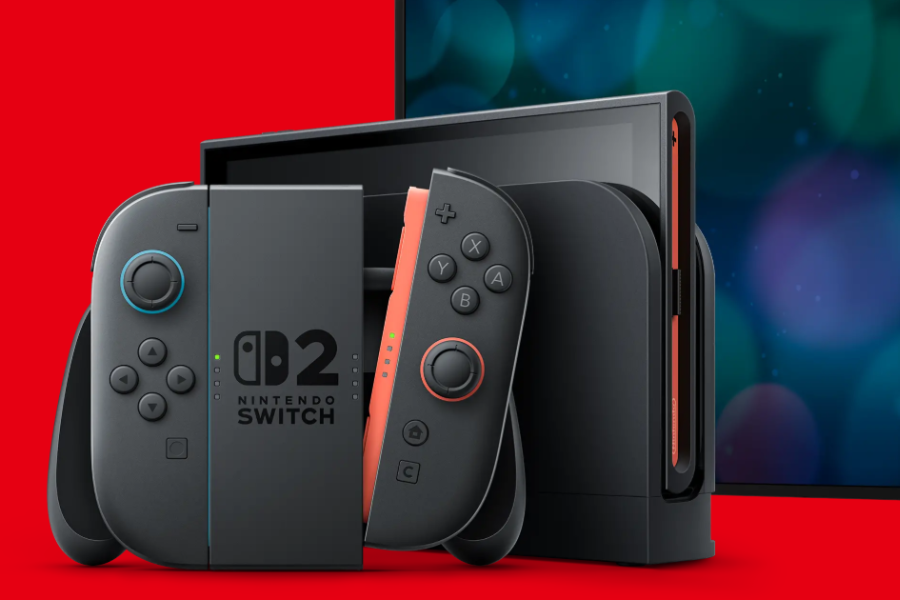
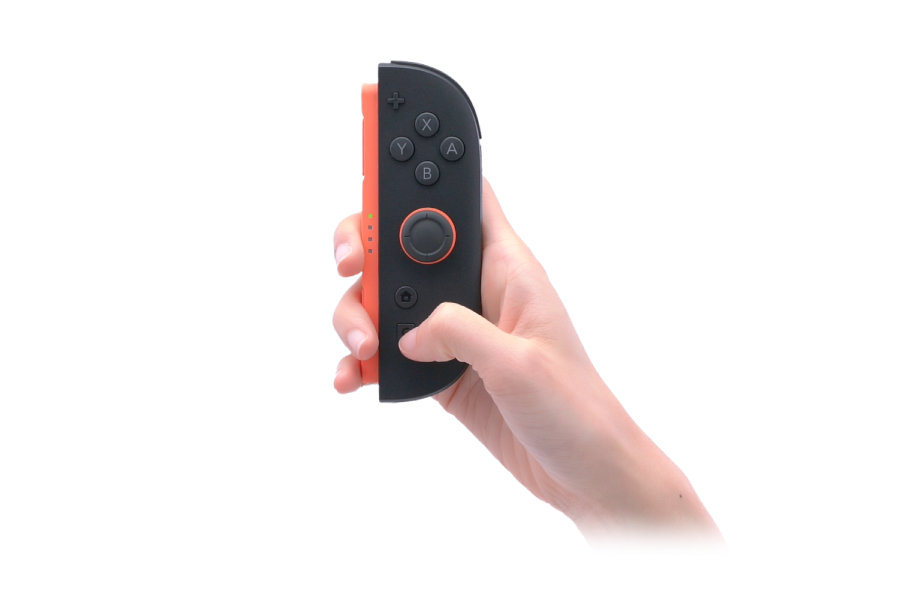
The Switch 2 comes with the Joy-Con 2, an upgraded version of the original console’s controllers. These have been completely overhauled. The larger controller size, designed to fit the expanded screen, is complemented by bigger and sturdier buttons and joysticks – a welcome change for anyone who has struggled to play with a single Joy-Con.
Connectivity
The way the Joy-Con 2 controllers plug into the Nintendo Switch 2 and other accessories has been completely changed. The slide-in tracks have been replaced with a magnetic snap-in system, making handheld play feel sturdier.
If you’ve built a collection of Joy-Cons and other controllers for the original Switch, don't worry – they’re all compatible with the Switch 2!
Mouse mode
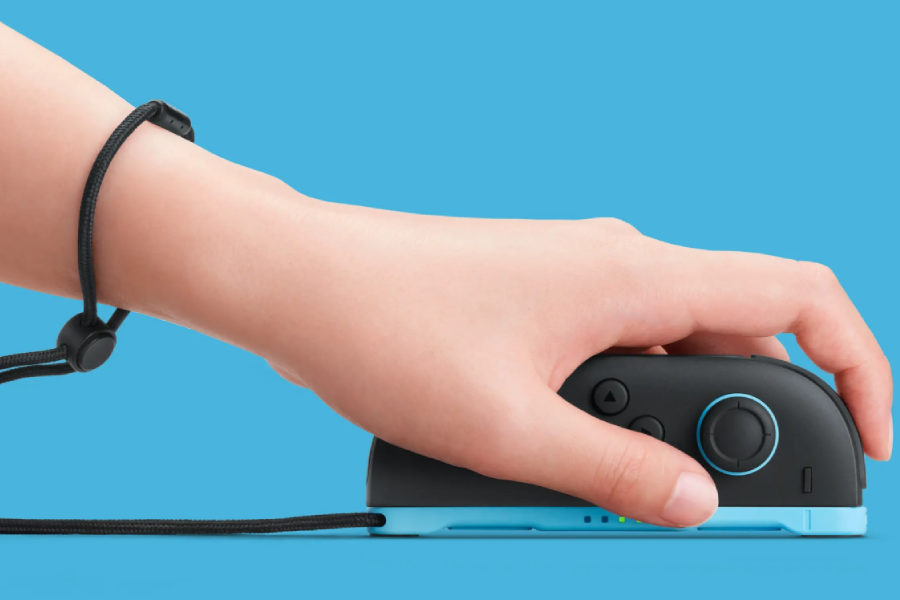
Playing with the Joy-Con 2 controllers unplugged opens up a whole new way to interact. Sensors on the inside of the Joy-Con 2’s connectors allow you to use each controller as a mouse. Players will be able to explore mouse controls in full with select games that support and utilise this functionality.
Switch 2 Pro Controller
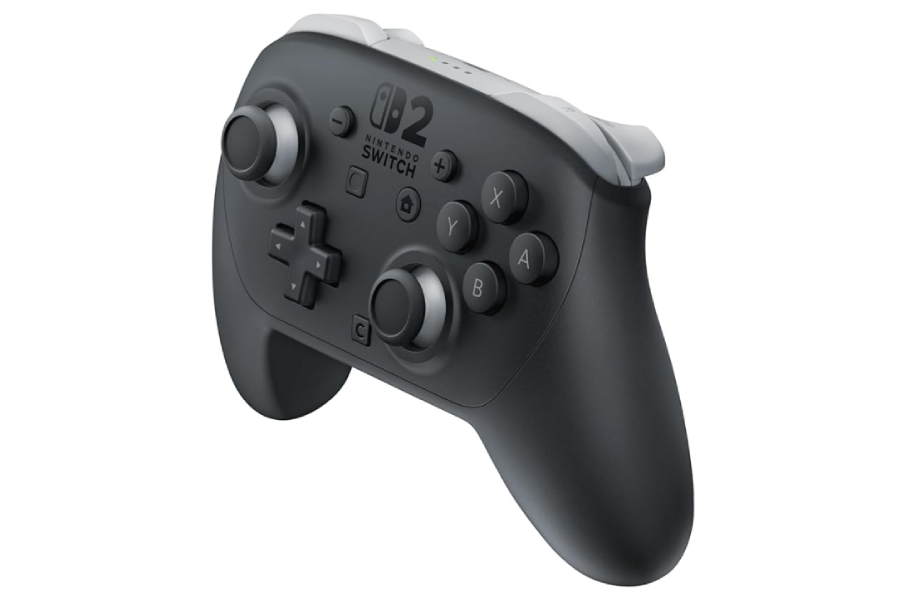
Also released alongside the Switch 2 was the successor to the Switch Pro Controller. Like the Joy-Con 2 controllers, it has been upgraded with new features and enhancements, including mappable GL and GR buttons on the back and a 3.5mm audio jack, making it easier to use the Switch 2 in tabletop mode with wired headphones.
New ways to interact
GameChat
Playing Nintendo Switch games online becomes easier and more interactive. Exclusive to the Switch 2 is GameChat, a built-in voice chat, video chat, and screen-sharing service. The Switch 2’s microphone handles voice chat, while video comes courtesy of the new USB-C port and the Nintendo Switch 2 Camera (sold separately). Some Switch 2 games include camera-enabled functionality, allowing you and your friends to become part of the on-screen action.
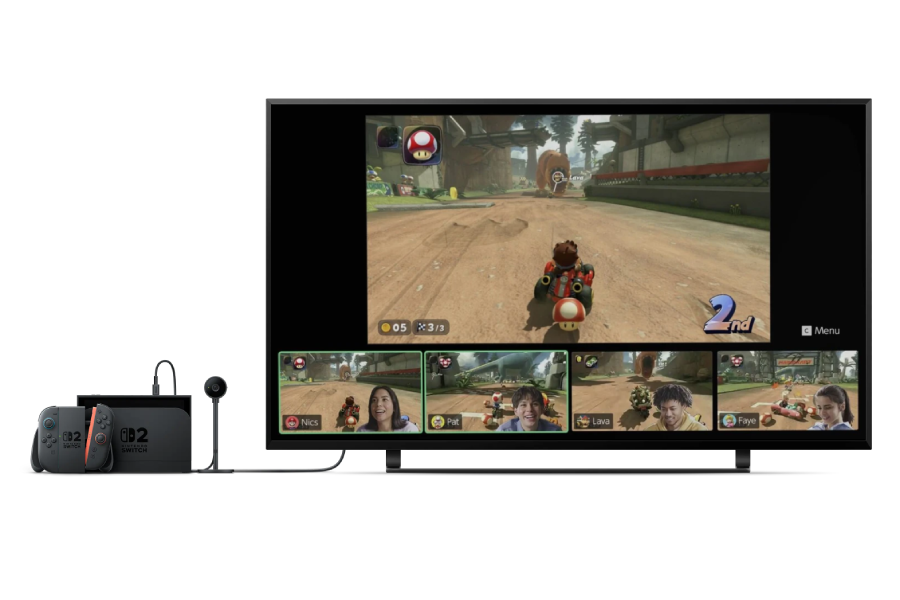
With the ability to chat with up to twelve players or share screens and videos with up to four, GameChat is an excellent option for multiplayer gaming. GameChat isn’t just for multiplayer games, though; you can also watch and chat while your friends play single-player games. To keep things safe for gamers, only people on your Friend List can take part in chats, and text message verification is required for setup.
Starting GameChat is quick and easy. The Joy-Con 2 and Switch 2 Pro controllers both feature a C Button that lets you launch GameChat while playing.
GameShare
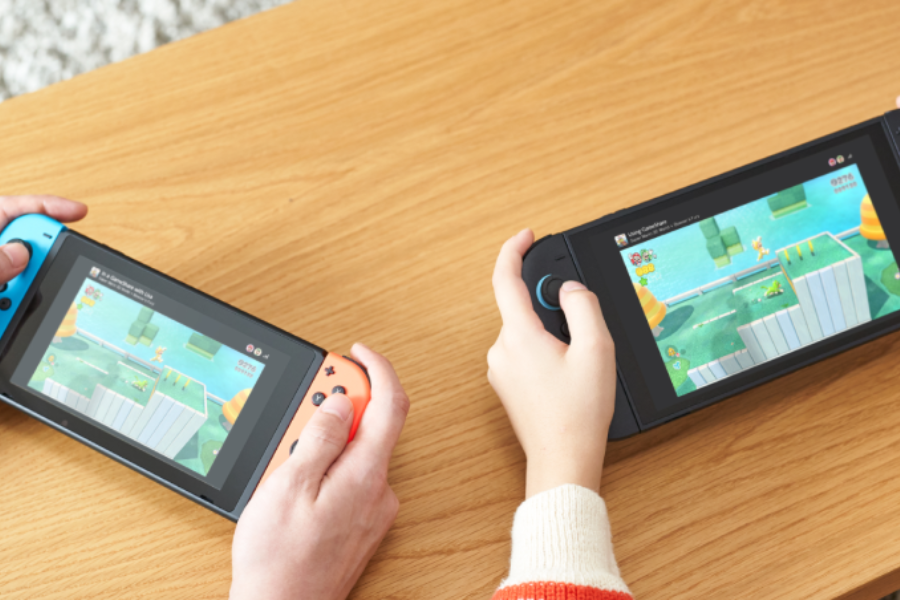
Joining GameChat is GameShare, a feature that lets you share supported games with players who don’t have their own copy. You can share games locally with players in the same room as you using Switch 2 and original Switch consoles, or online with GameChat exclusively for Switch 2 users.
Final thoughts
The Nintendo Switch 2 introduces significant upgrades over the original model. With improvements to the hardware, new social features and expanded ways to play, it offers both returning and new players plenty to explore.
For more information, or to relive the excitement of the original announcement, you can watch the Nintendo Direct livestream below:
Images courtesy of Nintendo.com